News /
Indoor maps need to grow up
Why bitmap floor plans are technical debt for asset tracking, and why georeferenced vector maps and IMDF are a better path.
Most companies that use indoor maps still treat them as an afterthought. They’ll buy an expensive location system, for example based on ultra-wideband, and spend a lot of money installing the necessary infrastructure and dialing that in. But the maps that go with this system do not get much attention from a practical or aesthetic point of view. Most people base their maps on architectural drawings. The dominant aesthetic is that of a technical drawing. Quite often these come in bitmap form. You can see this clearly when zooming in. The edges get all pixelated and the text labels become blurry.
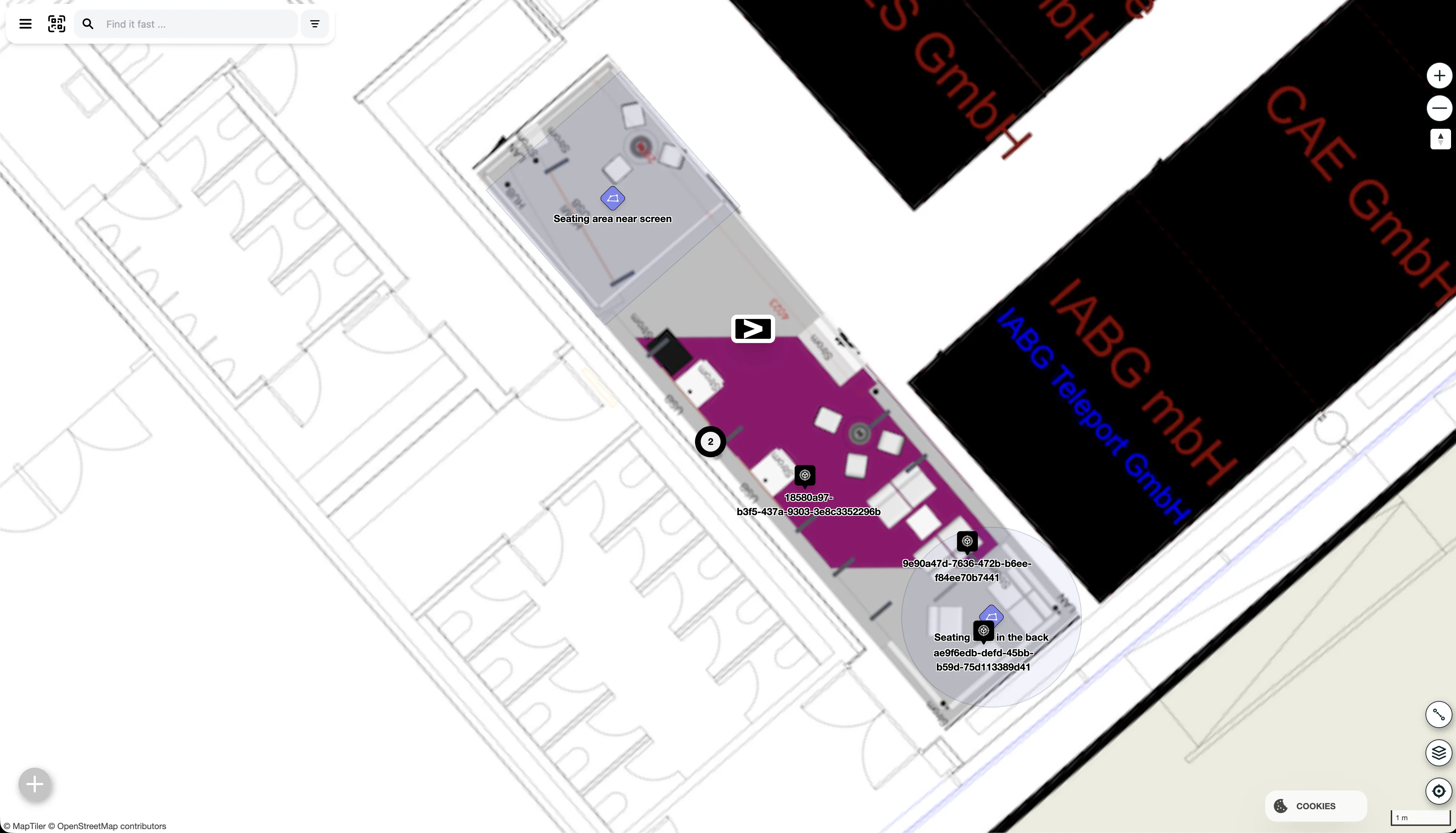
At FORMATION, we build asset tracking solutions. Maps show up everywhere in our product. Users look for equipment, materials, vehicles, pallets, and people. They need context. They need to know where something is, what floor it is on, and what is nearby. We use the map to help users orient themselves. People have something called spatial memory: we remember where things are around us. By tapping into that, we can make it easier to find things back and make sense of the environment.
With outdoor maps, we’ve gotten used to high-quality maps provided by Apple, Google, and OpenStreetMap. Modern maps are vector based. You can effortlessly pan, zoom, and tilt them for a 3D perspective. As you zoom in, more detail becomes visible. Modern maps have a huge amount of detail, and they render smoothly because hardware acceleration is now common on phones and laptops.
We believe indoor maps should be the same. But right now they aren’t. The maps are bitmap based, and often these bitmaps are not even tiled. Instead they are simple images that are scaled and rotated onto the outdoor map until they more or less fit the satellite imagery or building outline. This is a process called georeferencing.
Projecting a georeferenced image on the outdoor map is technically easy. But it creates a jarring experience. The outdoor map is nice to look at, while the indoor map feels like stepping back in time to when maps were still bitmap based, low on detail, and generally not very nice to look at. And unlike the bitmap maps of the early days of the internet, not much thought seems to go into making sure indoor maps are well designed or visually match the outdoor map.
Hybrid indoor/outdoor maps allow workflows to coexist on one map. Many of our customers operate across multiple buildings, campuses, yards, and countries. Some are multinationals. Their logistics workflows do not stop at the front door. They span sites, regions, and sometimes the globe. Many companies also work outside their own premises. They go on site to customers, construction sites, or even into fields.
Most of these use cases do not need a perfect digital twin. They need a readable map that covers the indoor and outdoor areas where they work. They need enough detail to give context to assets, tasks, and movement through a building.
Several map providers now offer maps for some public buildings. Here is an example of Berlin Brandenburg Airport in Apple Maps.
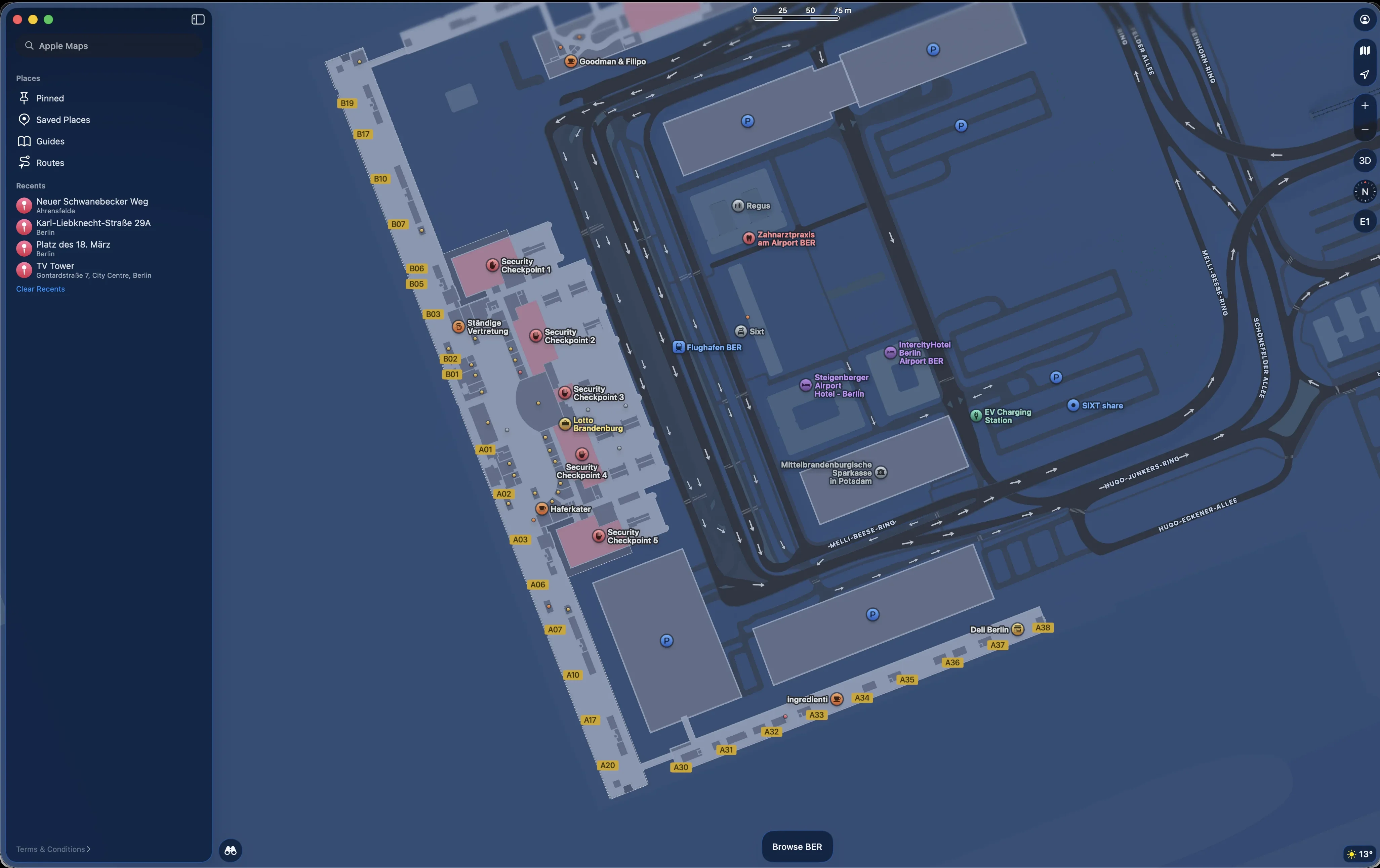
Here you can see details of the airport terminal. All the gates are clearly marked. You can see where the shops and other facilities are. As you zoom in, more details become visible. The indoor map fits seamlessly with the outdoor map.
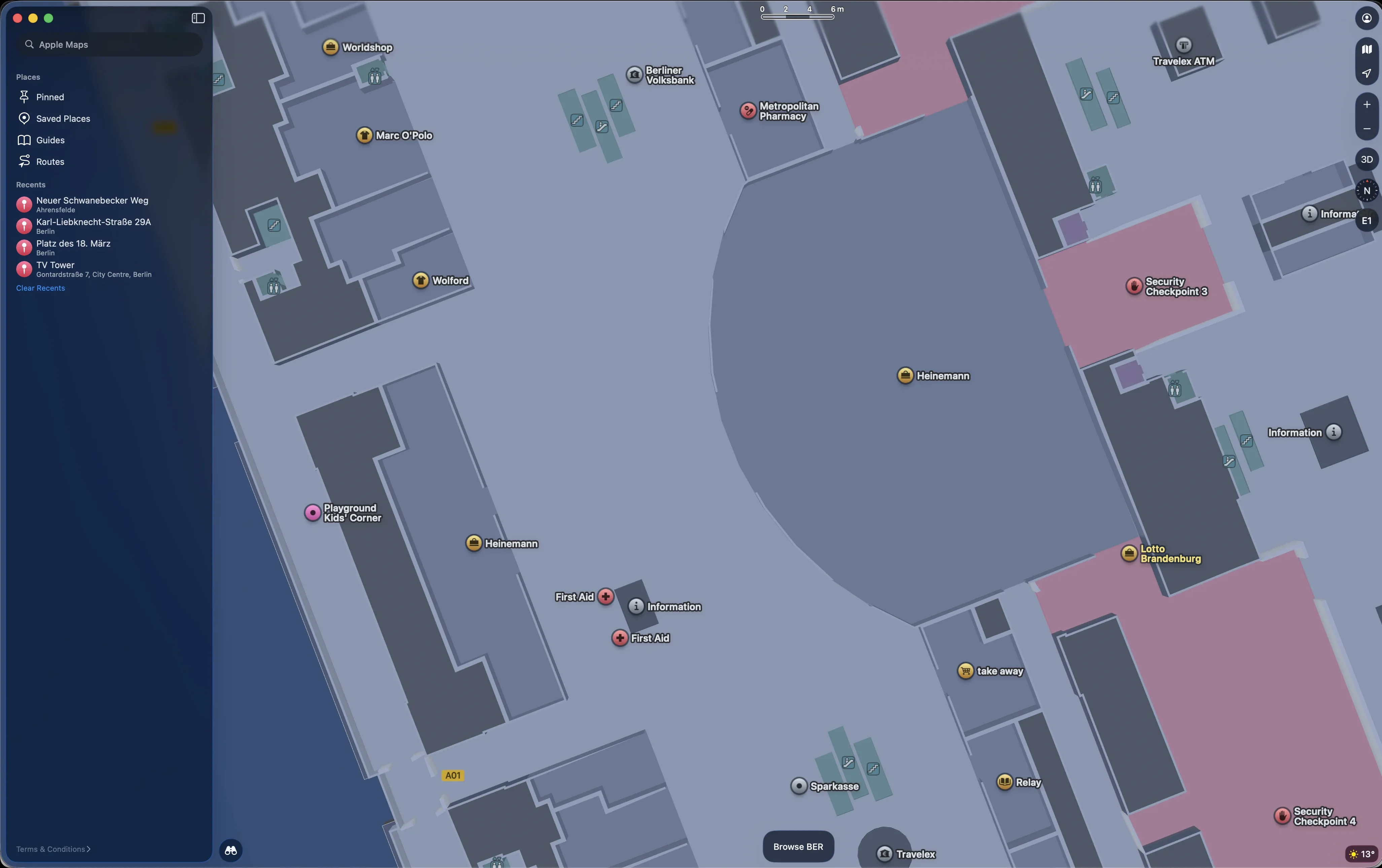
Apple invented a new format for this called the Indoor Mapping Data Format, or IMDF. The format was standardized in 2021 by the Open Geospatial Consortium. It uses GeoJSON and simple geometry to represent walls, rooms, areas, walkable paths for routing, and fixtures like toilets and kiosks. Adoption is slowly growing. Apple uses IMDF for Apple Maps. Microsoft has a product called Places, part of Office 365, that companies can use to provide maps for their buildings for use cases like meeting room booking and flex desk assignment. Several companies also create IMDF maps from scratch or by converting architectural drawings.
We found that there is still a lack of good OSS tooling for this file format, and we decided to address that. With our IMDF map editor, you can create IMDF maps from a simple georeferenced bitmap. Then you draw the walls, rooms, and navigation paths on top.
We took great care to keep this tool simple so non-GIS experts can use it to map their buildings. We hope that by providing basic map creation tooling, we can help kick-start better indoor mapping. Apple, Google, and other commercial map providers will never go inside private buildings to create a map. That responsibility ultimately lies with building owners. Over time, we hope to make this process easier. For example, we see a lot of potential for AI models to take on much of the manual drawing work. But for now, even a manually drawn map is already better than a quick and dirty job based on a bitmap generated from a CAD drawing.
Start mapping today with our Floor Plan Editor.